Hi everybody,
It seems that all of the new users of this community has same problem and that’s create a new first HelloWorld application.
In this topic i’m trying to create a step by step tutorial.
Install AndroidStudio and Multi-Os Engine Plugin
- Install
AndroidStudio v2.3.3(It seems that we have some problem onversion 3ofAndroidStudio). - Go to
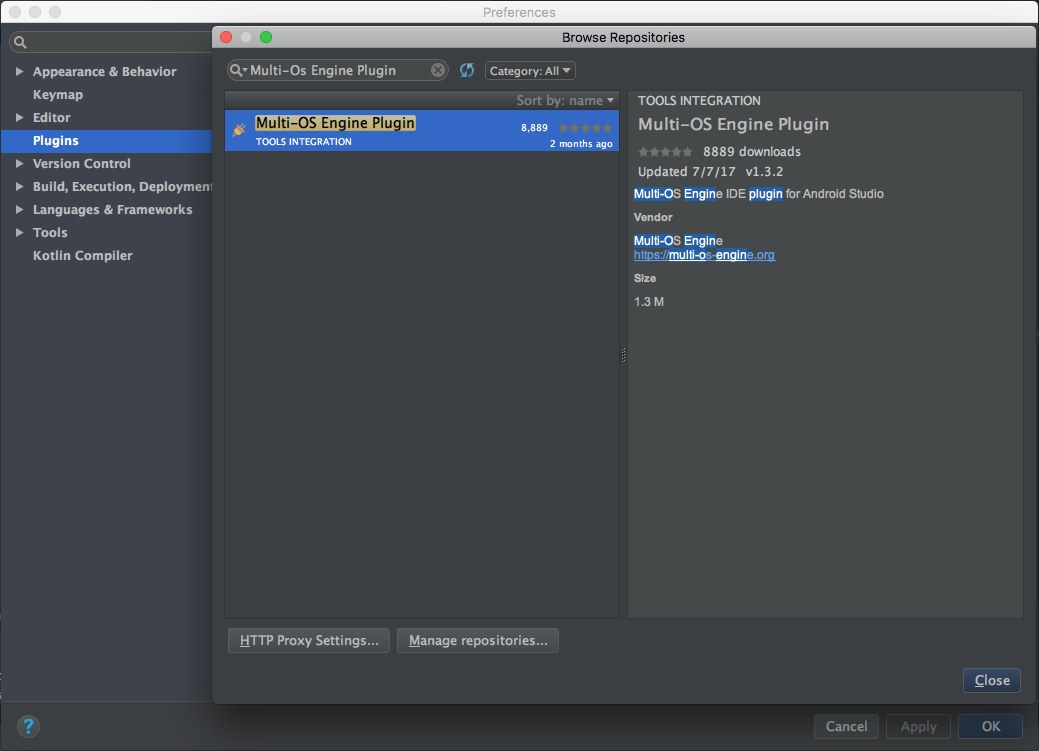
AndroidStudio->Preferences->Plugins->Browse Repositories-> Search forMulti-Os Engine PluginInstall this plugin and then restartAndroidStudio
Create a (Android) sample project
It is assumed that you have the ability to make a simple Android app. 

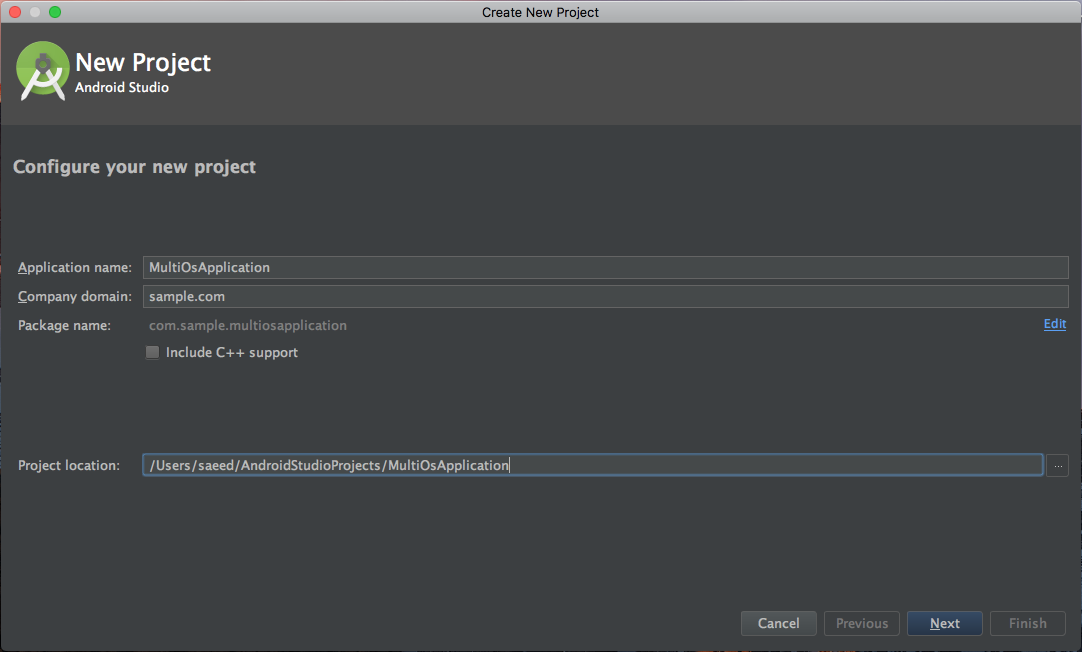
Create a (iOS) sample project
-
Right click on android module and choose
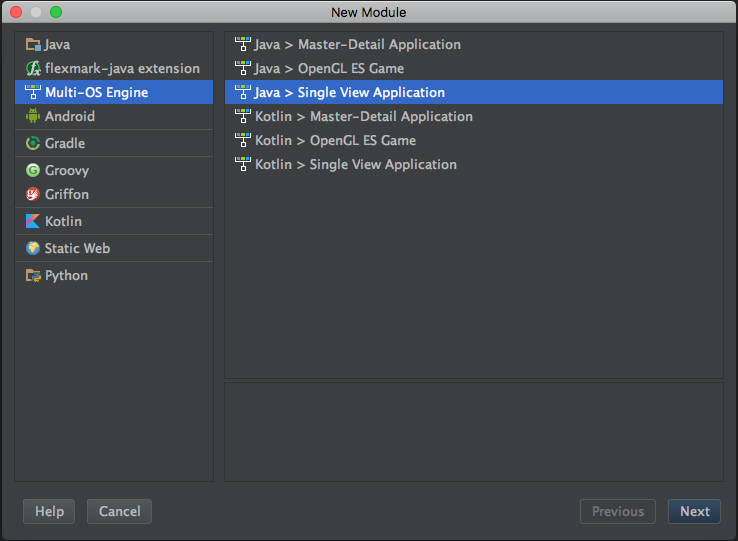
New->Multi-Os Engine Module
-
Select
Java > Single View Applicationand click next -
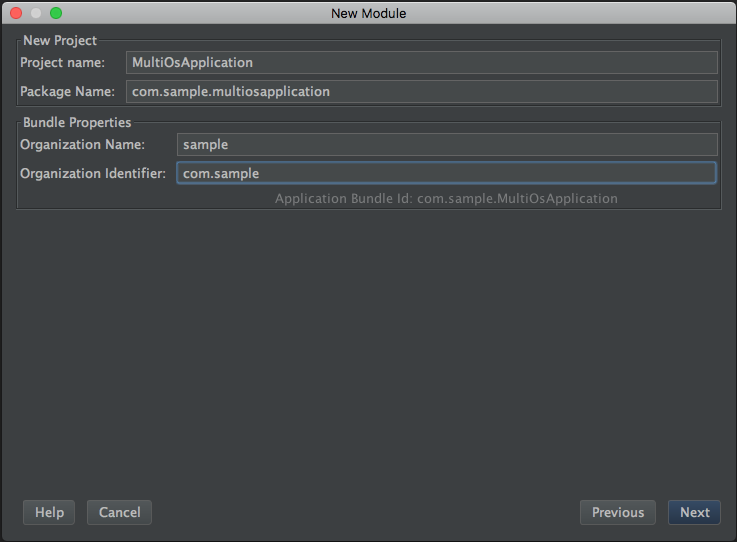
Fill your custom project detail and click next
-
Specify the name of your module and click
Finish
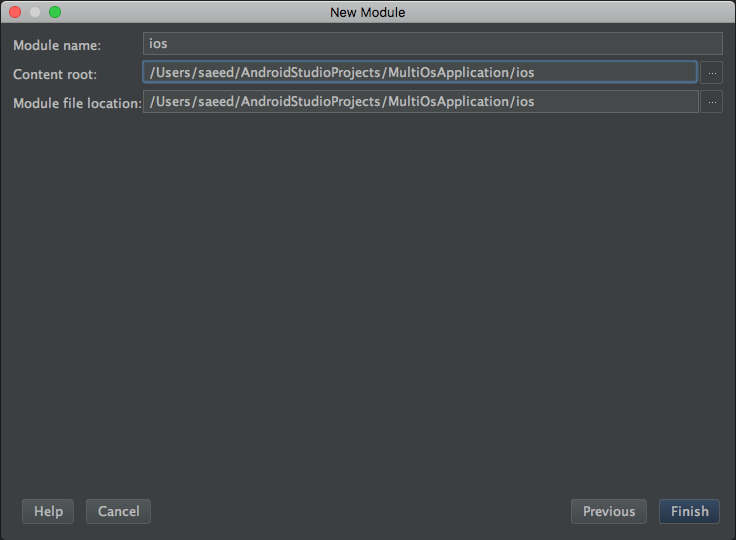
For a while, your system freezes 


 , and after the
 gradle downloads are finished, the modules are listed for you in this way.
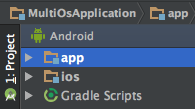


Create first ViewController and connect to storyboard -> (This is equivalent to Activity in android)
-
Right click on ios module and select
Multi-Os Engine Actions->Open Project on Xcode
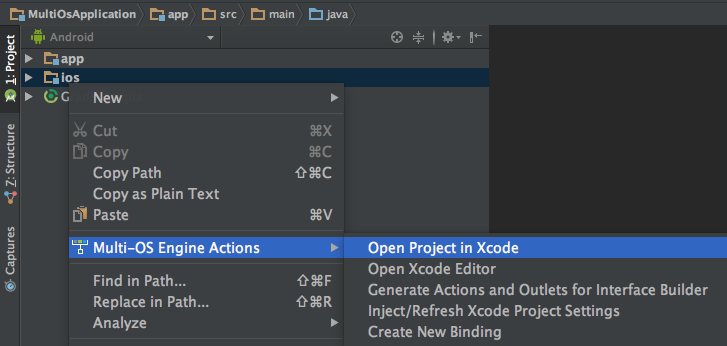
-
In
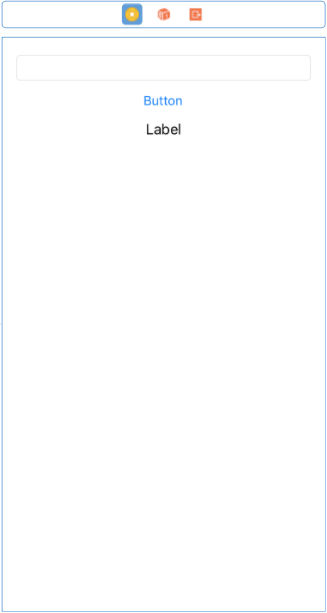
Xcodeclick onMain.storyboardand drag a view (Label-Button-TextField-…) from right-bottom side ofXcodeand drop onViewController.
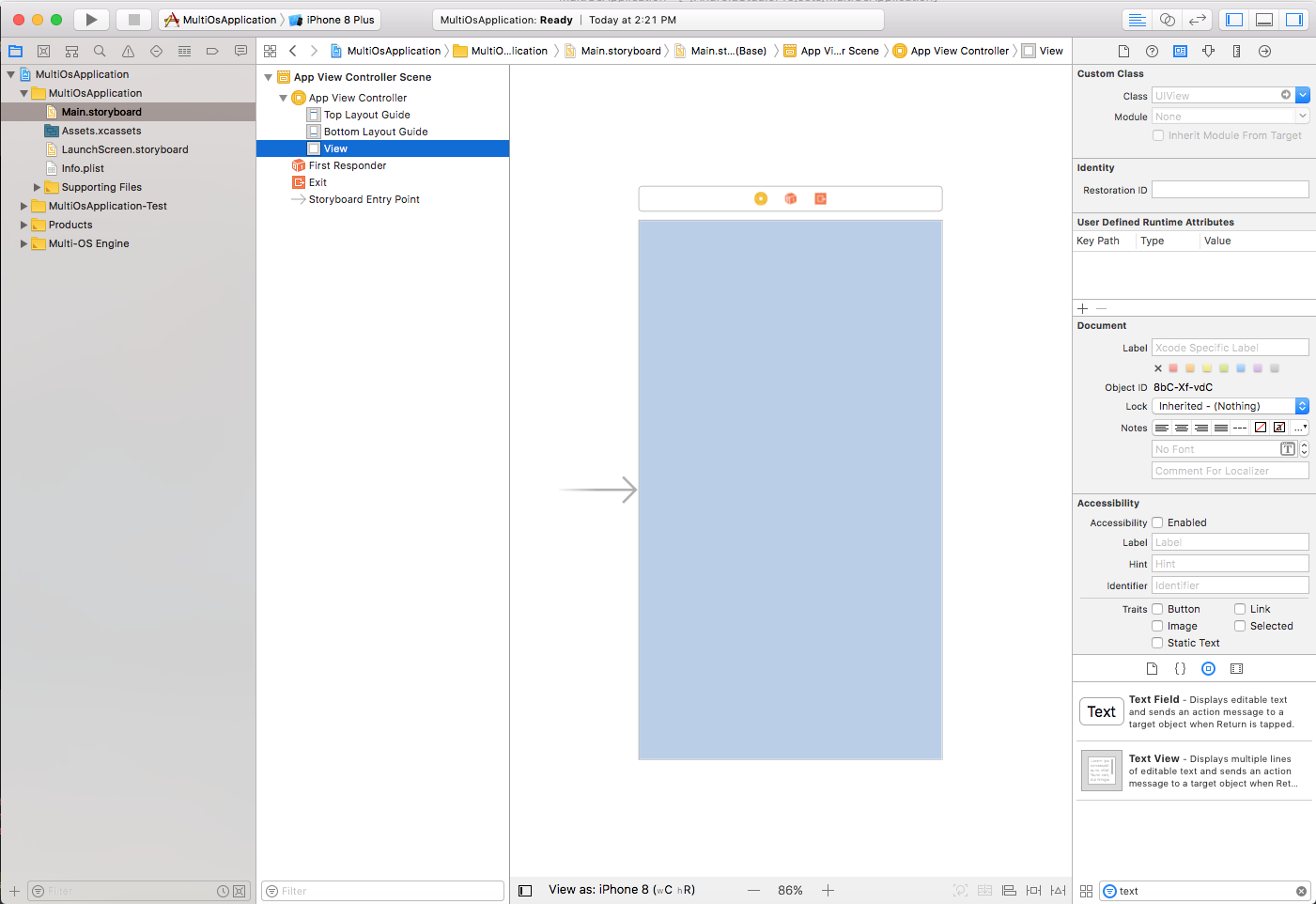
-
Create new
Cocoa Touchnamed : SampleViewController
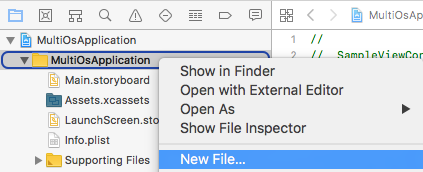
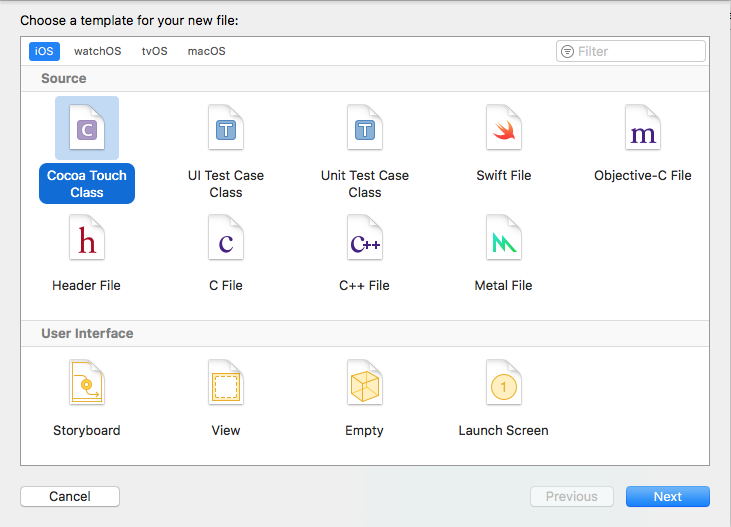
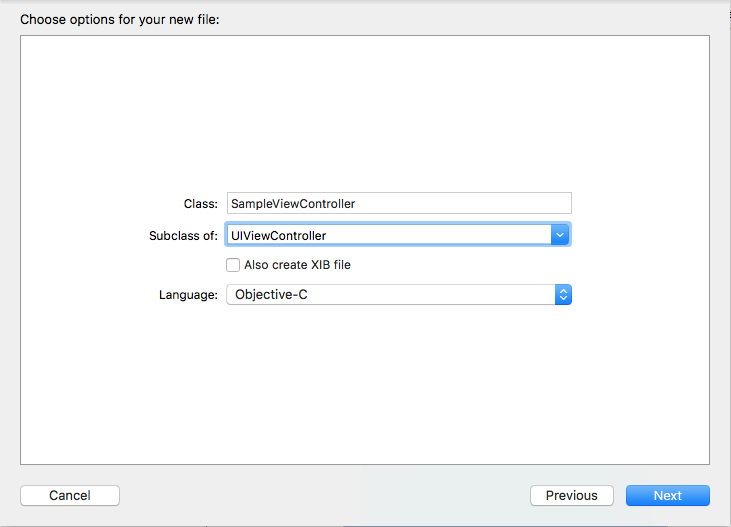
-
Click on
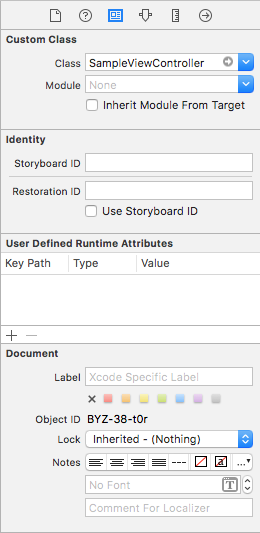
Main.storyboardand click on top layer ofViewControllerand then click onIdentitytab then fillCustom Class->Classvalue bySampleViewControllerand pressEnter key.
-
Now connect your
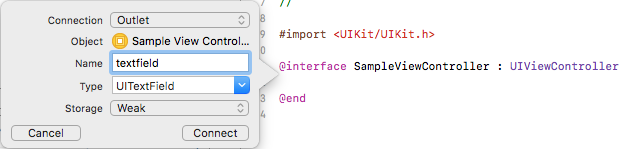
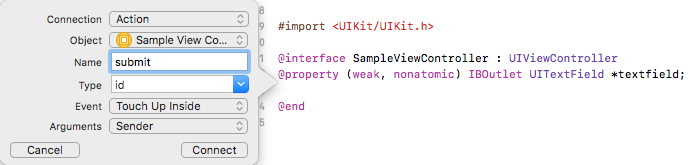
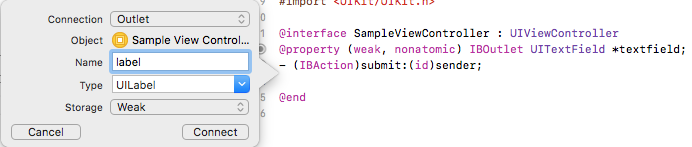
ViewstoSampleViewController. Click onShow the Assistant editorand selectSampleViewController.hthen presscontrol key+clickonTextFieldand release click on the body ofSampleViewController.hlike the below. (Do this by all of other element of yourViewController) - (For button i selectConnectiontype asAction).
-
Go to
AndroidStudioagain. and on ios module ->uipackage rename class toSampleViewController.java.
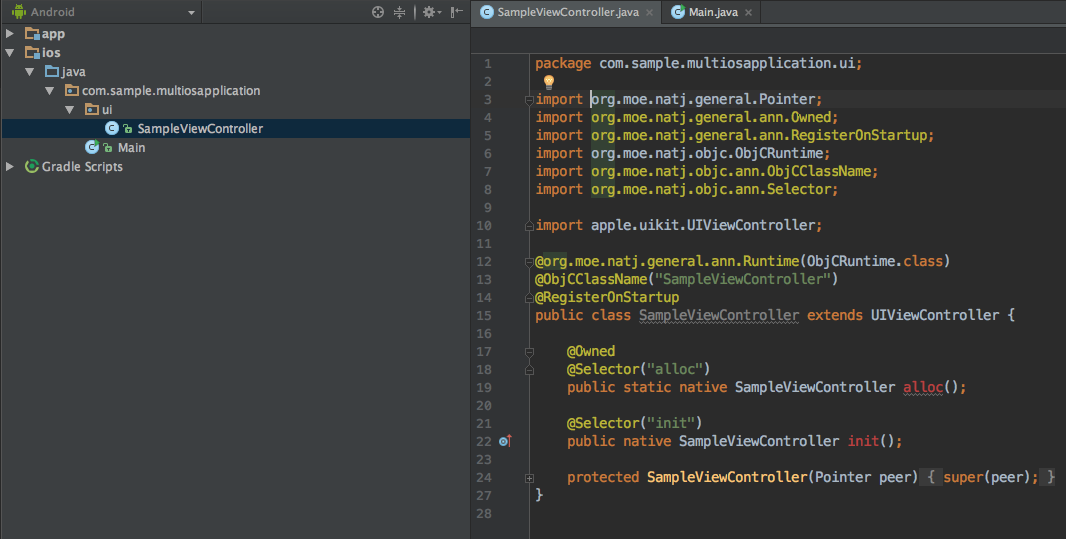
Check these line inSampleViewControllerclass:
@org.moe.natj.general.ann.Runtime(ObjCRuntime.class)
@ObjCClassName("SampleViewController")
@RegisterOnStartup

@Selector("init")
public native SampleViewController init();

@Owned
@Selector("alloc")
public static native SampleViewController alloc();

protected SampleViewController(Pointer peer) {
    super(peer);
}
- Add this following code to
SampleViewControllerclass:
    @Selector("textfield")
    @Property
    public native UITextField getTextfield();

    @Selector("label")
    @Property
    public native UILabel getLabel();

    @Selector("submit:")
    public void submit(NSObject sender) {
        getLabel().setText(getTextfield().text());
    }
- I have the best wishes for you.
- Special thanks of MOE team.